
 +1 619-743-9389
Samsung Washer Error Code Service Companion
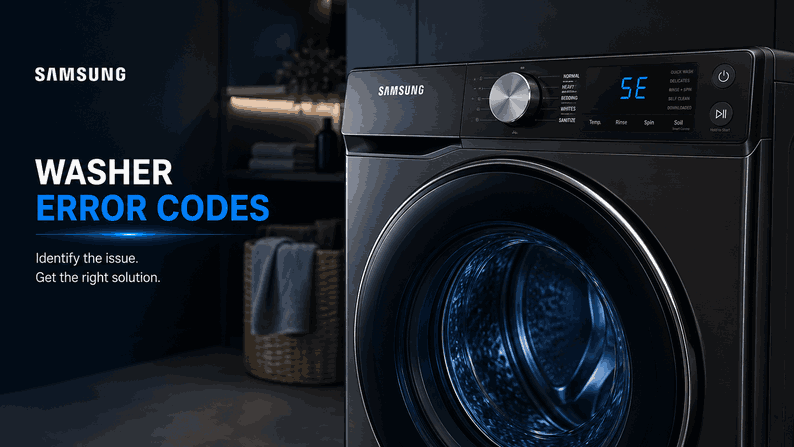
A Samsung washer can display several versions of the same fault depending on its model, control panel, and production series. For example, a water-supply problem may appear as 4C, 4E, nF, or 1 4C, while a drain problem may use 5C, 5E, SC, SE, or nd.
This guide organizes the provided Samsung washer codes into clear operating families for San Diego homeowners. Reset Appliance Repair provides local service for Samsung washers that leak, fill slowly, leave water inside, refuse to lock, stop spinning, lose communication, or interrupt a program with a repeated electronic alert.
For additional brand- and appliance-specific error code resources, explore the Reset Appliance Repair Support Library and select the guide that matches your equipment.
What Samsung Washer Error Codes Usually Point To
Samsung washer codes are diagnostic starting points rather than confirmation that one particular part has failed. A water code may be caused by a hose, valve, sensor, pump, or installation condition. An electronic code may involve a control board, wiring connection, motor, interface, or monitored sensor.
The code should always be considered together with the washer’s behavior. Note whether the fault appears before filling, during tumbling, at the drain stage, or when the machine attempts to lock or spin.
Main Samsung Washer Water Error Families
Leakage, Filling, Draining, and Overflow Codes
The 1E / LE / 1C / LC / LC1 / 1 1C / 1 LC family indicates a water-level or leakage condition. Moisture may have been detected where it should not be, or the water-level sensor may not be reporting normally. The washer may activate its drain system, stop the cycle, or prevent another program from starting.
The 4C / 1 4C / nF / 4E codes mean water is not entering correctly. Closed valves, kinked supply hoses, blocked inlet screens, insufficient pressure, or an incorrectly positioned drain hose may contribute to slow or incomplete filling.
The nd / 5E / SE / 5C / SC / 1 5C group identifies a drain fault. The washer may leave water in the drum, delay spinning, or stop before the cycle finishes because water cannot leave at the expected rate.
The OE / 0E / OC / 0C / 1 OC / 1 0C codes indicate excessive water in the washer. This overflow family may trigger protective draining and should not be ignored if water continues entering.
Other Samsung washer fault groups include:
Button, Power, and Voltage Codes
The E2 / bE2 / 6E2 / BE2 / 8E2** family may indicate a stuck control-panel button on certain models. Because BE2 or 8E2 can also have another sensor meaning, the model manual should be checked before assigning the fault to the keypad.
The 9C1 / 9C2 / PF / 3E / 2E / 9E1 / 9E2 / UC / 19C1 / 19C2 group* concerns interrupted, low, high, or unstable electrical power. A 3E display can represent either a motor or voltage fault depending on the washer model.
Main Door, Add Door, and Update Messages
The dS / d5 / FL / LO / L0 / dE / dE1 / dE2 / dC / dC1 / dL / 1 dC / 1dC4 / 1dC1 family* means the main door is not being confirmed as closed, secured, or locked. Laundry near the latch can interrupt the cycle. On some models, dC may instead indicate an unbalanced load.
The ddC / dC3 codes apply to the Add Door and indicate that it is open or not locked correctly. dn means the washer is downloading an update; the controls may remain unavailable until that process finishes.
Motor, Overcurrent, and Model Configuration Codes
The 9C6 / 9C7 / 9C8 codes identify a high-temperature circuit, hardware overcurrent, or software overcurrent condition. 18:8J is a model-option error. The 3E / 3C / E3 / 1 3C family points to motor operation or, on selected models, voltage.
Communication and Motion-Sensor Codes
The AE / AE6 / AEb / AC6 / ACb / AC / AC4 / AC3 / AC5 / AE8 / AEB / AE4 / AE3 / AE5 / 1AC6 / 1 AC / AC7 group identifies communication faults between monitored electronic systems.
The 8E / 8E1 / 8E2 / BE / BE1 / BE2 / 8C / BC / 8C1 / 8C2 / BC1 / BC2 / 1 8C / 1 BC / 18C1 / 1BC1 / 18C2 / 1BC2 family concerns MEMS or vibration sensing.
Temperature, Heater, Clutch, and System Codes
The tE / tE1 / tC codes involve temperature sensing, while HC / HE / HE1 / Hr / 1 HC indicate heater trouble. PC / PE concern clutch position, and PC1 / PE1 identify the clutch Hall signal.
The IE / SF / 5F / SF1 / SF2 / SF3 / 5F1 / 5F2 / 5F3 / 1 SF family represents system faults. Sr / 5r indicates the system relay, bE / 6E concerns motor-speed sensing, and 7E identifies a SilverCare fault.
What San Diego Homeowners Should Do First
Record the full code before turning off the washer. Check visible hoses, water valves, the door and latch area, standing water, and the balance of the laundry. One short power reset may clear a temporary control condition, but it will not repair a leak, pump, motor, heater, sensor, lock, or communication failure.
Local Samsung Washer Error Code Help in San Diego
If a Samsung washer repeatedly returns one of these codes, local in-home diagnosis can identify the affected system and the correct repair path.
Samsung Error Code Guides for Individual Appliances
Identify the Samsung appliance showing the message, then choose the corresponding resource for details about the systems and fault groups connected with that display.
Dishwasher: Visit Samsung dishwasher error codes for alerts involving water supply, drainage, leak detection, overflow, pump operation, WaterWall movement, heating, temperature sensing, and control communication.
Dryer: Read Samsung dryer error codes when the unit reports abnormal voltage, restricted airflow, a door fault, temperature or heating trouble, motor operation, gas ignition, or internal communication failure.
Microwave: Refer to Samsung microwave error codes to interpret messages associated with temperature, steam, humidity, and other sensors, as well as door, keypad, function, and electronic communication faults.
Range and Wall Oven: Explore Samsung range and wall oven error codes for warnings related to door detection, control-board communication, temperature sensing, cooling fans, heating circuits, power input, and other monitored cooking functions.
Refrigerator: Check Samsung refrigerator error codes for freezer or refrigerator fan failures, defrost issues, Family Hub faults, component communication problems, power irregularities, and cooling-system alerts.
Washer: Use Samsung washer error codes for problems involving filling, draining, leakage, overflow, door locking, motor operation, vibration sensing, heating, voltage, and electronic communication.
These appliance-focused Samsung guides help San Diego homeowners connect the displayed code with the unit and operating system most likely to require closer attention.
Related Samsung Appliance Error Code Guides
Use these Samsung resources to connect washer warnings with the broader brand library and closely related laundry and water-using appliance guides.
Samsung Appliance Error Codes: Start with the main Samsung appliance error code guide for an overview of diagnostic messages across Samsung laundry, kitchen, cooking, and refrigeration appliances.
Dryer: Review Samsung dryer error codes when the drying appliance paired with the washer displays warnings involving airflow, heating, drum movement, temperature sensing, voltage, or electronic communication.
Dishwasher: Explore Samsung dishwasher error codes for related alerts involving water intake, drainage, leakage, overflow protection, heating, pump operation, and electronic controls.
These connected guides help homeowners move from Samsung washer diagnostics to the closely related dryer category and other water-using appliance resources within the wider brand support library.
Reset Appliance Repair – San Diego, CA
📍 Address: 11031 Via Brescia, San Diego, CA 92129
📧 Email: resetappliance@gmail.com
☎️ Phone: +1 619-268-5820
🕒 Open Hours: Monday – Sunday: 7:00 AM – 10:00 PM
Samsung Washer Error Code Meanings and Recommended Actions
The table organizes Samsung washer codes that may vary by model and control-panel design, including alternative displays for the same operating condition. It explains what each code family means and provides the recommended checks for the water supply, drainage, door, load, power, sensors, motor, heating system, and electronic communication before professional diagnosis is required.
| Error Code | Meaning | Safe first steps | Technician required | Related help |
|---|---|---|---|---|
| 1E / LE / 1C / LC / LC1 / 1 1C / 1 LC | Water level or leakage error. | Look for visible leaks, check supply and drain hoses for kinks, and run an empty cycle with no additives to see if excess suds clear. Do not remove the drain-hose holder screw on the back. | Yes — if no leak/suds issue is found or the code remains. | |
| 4C / 1 4C / nF / 4E | Not filling error. | Verify hot/cold hoses are connected correctly, valves are fully open, hoses are not kinked, and inlet screens are not blocked. | Yes — if the washer still will not fill after these checks. | |
| nd / 5E / SE / 5C / SC / 1 5C | No drain error. | Perform Samsung's safe no-drain checks (clean drain filter, inspect drain hose routing/kinks, and remove simple blockages). | Yes — if drain troubleshooting does not clear the code. | |
| OE / 0E / OC / 0C / 1 OC / 1 0C | Overflow error. | Perform Samsung's safe overflow / drain checks and verify the washer can drain normally. | Yes — if the overflow condition returns. | |
| E2 / bE2 / 6E2 / BE2* / 8E2* | Jammed button error. | Power off the washer, then press and release each button while working along the edges to free a stuck key. | Yes — if any button is damaged or the code returns. | |
| 9C1 / 9C2 / PF / 3E* / 2E / 9E1 / 9E2 / UC / 19C1 / 19C2 | Voltage / power irregularity error. | Confirm the washer is on its own circuit, not using an extension cord, and the incoming power matches the unit's market / installation requirements. | Yes — if the code continues. | |
| dS / d5 / FL / LO / L0 / dE / dE1 / dE2 / dC* / dC1 / dL / 1 dC / 1dC4 / 1dC1 | Door error. | Check that laundry is not caught in the door, the latch is secure, and the door closes fully. Note: on some FlexWash models 1dC4 may be caused by a missing rubber button, which is not a service call. | Yes — if the code cannot be corrected or the latch / door is damaged. | |
| ddC / dC3 | Add Door error. | Check that the Add Door closes fully, nothing is trapped in it, and the latch is secure. | Yes — if the code cannot be corrected or the Add Door / latch is damaged. | |
| dn | Downloading / firmware update in progress. | Keep the washer powered on and allow the update to finish. If Wi‑Fi is used, confirm the connection is stable. | Yes — if dn remains for more than 30 minutes while continuously powered. | |
| 9C6 / 9C7 / 9C8 | High temperature circuit / overcurrent error. | Power the washer off for 2–3 minutes, power it back on, and restart the cycle. | Yes — if the error returns. | |
| 18:8J | Model option error. | Power the washer off for 2–3 minutes, power it back on, and restart the cycle. | Yes — if the error returns. | |
| 3E / 3C / E3 / 1 3C | Motor error (on models where 3E is not used for voltage). | Power the washer off for 2–3 minutes, power it back on, and restart the cycle. Check the user manual if 3E may map differently on your model. | Yes — if the error returns. | |
| AE / AE6 / AEb / AC6 / ACb / AC / AC4 / AC3 / AC5 / AE8 / AEB / AE4 / AE3 / AE5 / 1AC6 / 1 AC / AC7 | Communication / control communication error. | Power the washer off for 2–3 minutes, power it back on, and restart the cycle. | Yes — if the error returns. | |
| 8E / 8E1 / 8E2 / BE / BE1 / BE2 / 8C / BC / 8C1 / 8C2 / BC1 / BC2 / 1 8C / 1 BC / 18C1 / 1BC1 / 18C2 / 1BC2 | MEMS / vibration sensor error. | Power the washer off for 2–3 minutes, power it back on, and restart the cycle. Check the user manual when BE2 / 8E2 could also mean a jammed button. | Yes — if the error returns. | |
| tE / tE1 / tC | Temperature sensor error. | Power the washer off for 2–3 minutes, power it back on, and restart the cycle. | Yes — if the error returns. | |
| HC / HE / HE1 / Hr / 1 HC | Heater error. | Power the washer off for 2–3 minutes, power it back on, and restart the cycle. | Yes — if the error returns. | |
| PC / PE | Clutch position error. | Power the washer off for 2–3 minutes, power it back on, and restart the cycle. | Yes — if the error returns. | |
| PC1 / PE1 | Clutch Hall signal error. | Power the washer off for 2–3 minutes, power it back on, and restart the cycle. | Yes — if the error returns. | |
| IE / SF / 5F / SF1 / SF2 / SF3 / 5F1 / 5F2 / 5F3 / 1 SF | System error. | Power the washer off for 2–3 minutes, power it back on, and restart the cycle. | Yes — if the error returns. | |
| Sr / 5r | System relay error. | Power the washer off for 2–3 minutes, power it back on, and restart the cycle. | Yes — if the error returns. | |
| bE / 6E | Motor speed sensor error. | Power the washer off for 2–3 minutes, power it back on, and restart the cycle. | Yes — if the error returns. | |
| 7E | SilverCare error. | Power the washer off for 2–3 minutes, power it back on, and restart the cycle. | Yes — if the error returns. |
