

 +1 619-743-9389
Samsung Range and Wall Oven Error Code Service Companion
A Samsung range or wall oven may show door, C-F0, or another error message when its door-detection, electronic communication, sensing, heating, or control systems notice an abnormal condition. The code can interrupt preheating, block Self Clean, prevent the oven from starting, or leave the control panel active while cooking functions remain unavailable.
This page explains the provided Samsung range and wall oven alerts for homeowners in San Diego. Reset Appliance Repair provides local service for Samsung cooking appliances that will not recognize a closed door, lose communication between electronic components, or repeatedly return an unlisted fault after a reset.
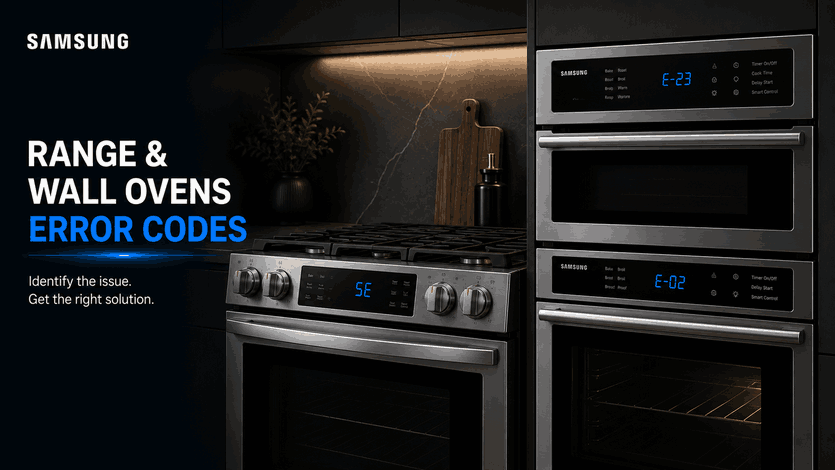
What Samsung Range and Wall Oven Codes Can Tell You
An oven code identifies the system that detected the problem, but it does not always identify the exact failed component. A door message may come from incomplete closure, a blocked latch area, a stiff plunger switch, poor alignment, or a damaged sensing circuit. A communication code may involve a control board, connector, wiring harness, software condition, or interrupted power.
Samsung also uses different code sets across freestanding ranges, slide-in ranges, induction models, single wall ovens, and double wall ovens. For that reason, the complete model number and the exact characters shown on the display should be recorded before the appliance is powered off.
Main Samsung Door and Control Fault Family
Door Detection and Electronic Communication Codes: door / C-F0
These alerts can prevent normal cooking even though they come from different systems.
The door message means the oven does not recognize the door as fully closed. First check that cookware, racks, towels, or food residue are not interfering with closure. The door should sit evenly against the front of the appliance without requiring extra force.
Samsung also recommends checking the door plunger switch when the message remains after the door is closed. This small switch should move freely when pressed and extend again when released. If it is stiff, remains compressed, or does not respond normally, the oven may continue reporting that the door is open. A door that does not close completely may also have alignment, hinge, latch, or installation trouble.
In daily use, the door message may prevent heating, interrupt a cooking program, or block a door-dependent function. The oven should not be operated by holding the door inward, taping the switch, or attempting to bypass the safety system. If the message stays on after the door is visibly closed and unobstructed, the switch and related wiring usually require inspection.
The C-F0 code identifies a communication error between electronic components inside the range or wall oven. The main control and a secondary electronic board are not exchanging information as expected. The display may remain illuminated while heating functions fail, commands are ignored, or the code returns immediately after startup.
A communication fault does not automatically prove that both boards need replacement. Power supply, wiring connectors, harness damage, software, or one control module may interrupt the signal. Testing is needed before parts are selected.
Samsung notes that certain induction range models may have a firmware update for C-F0. For other models, or when the update is unavailable or unsuccessful, a repeated C-F0 requires service.
All Other Samsung Range and Wall Oven Error Codes
The All other error codes category covers model-specific alerts that are not individually listed on this page. These may involve temperature sensing, overheating protection, cooling fans, touch controls, heating circuits, partition detection, power input, internal communication, or another monitored function.
Do not assume that an unfamiliar code has the same meaning as a visually similar one. Characters such as 0, O, 1, I, C, E, and F can be misread on segmented displays. Photograph the panel or write the code exactly as shown before clearing it.
Samsung’s general first step for another range or wall oven code is to switch the appliance off and back on using its Power control. If the code returns, turn the circuit breaker off, wait approximately 30 seconds, and restore power. A second return indicates that the appliance needs further diagnosis rather than repeated resetting.
An unlisted code should be treated more cautiously when the oven overheats, will not shut down, trips the breaker, smells electrical, produces smoke unrelated to normal cooking, or behaves unpredictably. In these situations, stop using the appliance and disconnect power when it is safe to do so.
First Checks for San Diego Homeowners
Record the message and note what the oven was doing when it appeared. Check whether the door closes evenly, whether the plunger switch moves freely, and whether the code appeared after a power interruption.
For door, clear the opening and avoid forcing the latch. For C-F0, perform one controlled power reset and check whether the model supports an available software update. For another code, use the single reset sequence described above.
Do not remove the oven from its cabinet, bypass the door switch, or test energized wiring without proper equipment.
Local Samsung Range and Wall Oven Error Code Help in San Diego
Repeated door, C-F0, or unlisted Samsung oven codes usually require model-specific testing. Local in-home service can identify whether the problem involves door sensing, control communication, wiring, software, heating components, or another monitored system.
Related Samsung Appliance Error Code Guides
Use these Samsung resources to compare range and wall oven warnings with the broader brand library and closely related kitchen appliance guides.
Samsung Appliance Error Codes: Start with the main Samsung appliance error code guide for an overview of diagnostic messages across Samsung cooking, refrigeration, cleaning, and laundry appliances.
Microwave: Review Samsung microwave error codes for related cooking-appliance faults involving temperature and humidity sensors, door detection, keypad operation, heating functions, and electronic communication.
Refrigerator: Explore Samsung refrigerator error codes when another Samsung kitchen appliance displays alerts connected with cooling, fans, defrost operation, sensors, power conditions, or component communication.
These connected guides help homeowners move from Samsung range and wall oven diagnostics to related cooking information and the wider kitchen appliance support library.
Reset Appliance Repair – San Diego, CA
📍 Address: 11031 Via Brescia, San Diego, CA 92129
📧 Email: resetappliance@gmail.com
☎️ Phone: +1 619-268-5820
🕒 Open Hours: Monday – Sunday: 7:00 AM – 10:00 PM
Samsung Range and Wall Oven Error Code Meanings and Recommended Actions
The table explains the door and C-F0 messages displayed by Samsung ranges and wall ovens, along with general guidance for other model-specific error codes. It shows what each alert means and outlines the appropriate door, power-reset, firmware, and service steps to follow when the message remains on the display.
| Error Code | Meaning | Safe first steps | Technician required | Related help |
|---|---|---|---|---|
| door | Door not detected as closed. | Check that the door plunger switch moves freely and the door closes all the way. If the door will not close correctly, correct any simple obstruction first. | Yes — if the plunger is stuck / damaged or the code continues with the door closed. | |
| C-F0 | Communication error between electronic components. | Reset power. On certain induction range models, connect to SmartThings and apply the Samsung firmware update if available. | Yes — if the unit cannot be updated or the error remains after the update. | |
| All other error codes | Other range / wall oven sensor or electronics fault. | Power the range off and on. If needed, turn the breaker off for 30 seconds and restore power. | Yes — if the error returns again. |
