
 +1 619-743-9389
Wolf Oven Communication Error and Controller Connection Problems
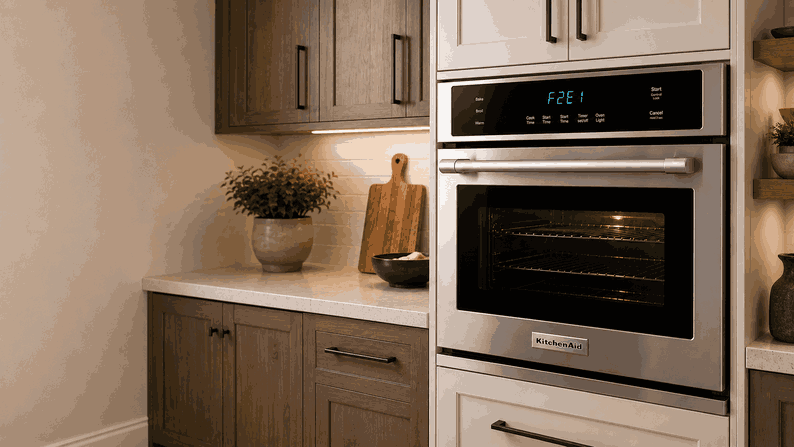
A Wolf oven communication error and controller connection problems issue usually means the oven is not getting a clear signal between its main control parts. The display may show a communication warning, the controls may freeze, or the oven may stop responding even though power is still present.
For homeowners in San Diego, CA, this can be difficult to understand because the oven may look normal from the outside. The light may work, the display may turn on, and some buttons may respond. But if the controller connection is unstable, the oven may not be able to manage heating, timing, fans, sensors, or safety functions correctly.
What Controller Connection Problems Usually Mean
When a Wolf oven reports a communication error, the appliance is usually detecting a problem between electronic control components. The user interface, main control board, relay board, sensor circuits, and other internal modules must exchange information during normal operation.
If one part does not send or receive the right signal, the oven may stop the cycle or lock out certain functions. This is not the same as a simple setting issue. The oven is telling you that its control system cannot confirm normal communication.
The exact cause can vary. One oven may have a loose connector. Another may have a failing display board, main control board, wiring harness, or power-supply issue affecting the controller connection.
Signs Homeowners May Notice
Communication Error on the Display
One common sign is a communication error on the display. The message may appear when the oven is turned on, when a cooking mode is selected, or during preheat.
Slow or Frozen Control Panel
The control panel may also respond slowly. You may press a setting and get no response, delayed beeping, or a frozen screen. In some cases, the oven may cancel a cycle before it begins heating.
Intermittent Operation
Another sign is intermittent operation. The oven may work one day and fail the next. It may heat in one mode, then stop in another because the control system loses communication during a specific function.
Issue After Power Loss or High-Heat Use
Some homeowners notice this issue after a power outage, breaker reset, self-clean cycle, or long high-temperature use. If the same warning returns after power is restored, the controller connection problem likely needs diagnosis.
Common Causes Behind Communication Errors
Loose or Damaged Wiring Connection
One likely cause is a loose or damaged wiring connection between control parts. Heat, vibration, age, or prior service work can affect connectors inside the oven.
User Interface or Display Board Problem
Another possible cause is a user interface or display board problem. If the control panel cannot send commands correctly, the oven may look powered but fail to operate normally.
Main Control Board Issue
A main control board issue can also create communication errors. This board manages major oven functions and must coordinate signals from sensors, relays, fans, locks, and the display.
Power-Supply Problem
There may also be a power-supply problem affecting the electronics. If voltage to the control system is unstable, the boards may lose communication or restart unexpectedly.
Relay Board or Internal Module Failure
In some cases, the issue may involve a relay board, module failure, or internal communication path that is no longer stable.
Safe Checks Before Requesting Service
Write Down the Exact Warning
Start by writing down the exact warning or message shown on the display. Also note when it appears: at startup, during preheat, after self-clean, or when selecting a specific cooking mode.
Try One Basic Power Reset
You can try a basic power reset at the household breaker. Leave the oven off briefly, restore power, and see whether the same communication warning returns.
Check Control Panel Response
Check whether the control panel responds normally after the reset. A frozen display, repeated beeping, or delayed response can help describe the problem during service.
Avoid Repeated Power Cycling
If the issue appeared after a power outage, avoid repeated resets if the warning keeps coming back. Repeated power cycling usually does not repair a true controller connection fault.
Avoid Unsafe Internal Checks
Do not remove panels, touch wiring, test control boards, or try to access internal modules. Communication errors involve electronic components and should be diagnosed with proper tools.
When Professional Oven Service Makes Sense
Professional service makes sense when the Wolf oven communication error and controller connection problems warning returns after a basic reset, prevents heating, or makes the controls unreliable.
It is also the right step if the oven shuts down mid-cycle, shows a frozen display, beeps repeatedly, or works only part of the time. These signs may point to a failed user interface, main control board, relay board, wiring harness, connector, or power-supply issue.
For homeowners in San Diego, CA, professional oven service can help identify whether the problem is caused by a loose connection, failed board, unstable power, or internal controller communication fault. Proper diagnosis helps avoid guesswork and unnecessary part replacement.
Related Support Information
If the oven displays a specific warning number, a related Wolf oven error codes page can provide extra context. A related Wolf oven communication error and RS485 network problems article may also help if the issue involves internal board-to-board communication.
Conclusion
A Wolf oven communication error and controller connection problems issue usually points to a control-board, display-board, wiring, connector, relay-board, or power-supply problem. Safe checks can help rule out a temporary reset issue, but repeated communication warnings or unresponsive controls usually call for professional oven service in San Diego, CA.
Related Wolf Oven Troubleshooting Guides
Use these Wolf oven resources to connect a communication error and controller connection problem with relevant diagnostic codes and other network-related faults.
Wolf Wall Oven Error Codes: Start with Wolf Wall Oven Error Codes when the appliance displays a diagnostic message related to electronic communication, controllers, sensors, relays, the door lock, or heating operation.
Wolf Oven Communication Error and RS485 Network Problems: Review Wolf Oven Communication Error and RS485 Network Problems when communication between electronic components is interrupted through the oven’s internal network.
Wolf Oven Temperature Sensor Problems and RTD Faults: Explore Wolf Oven Temperature Sensor Problems and RTD Faults for a related control-system issue involving temperature data sent to the oven controller.
These related guides help homeowners connect Wolf oven communication error and controller connection problems with diagnostic codes, network faults, and sensor-related control issues.
Contact Information
Reset Appliance Repair – San Diego, CA
📍 Address: 11031 Via Brescia, San Diego, CA 92129
📧 Email: resetappliance@gmail.com
☎️ Phone: +1 619-743-9389
🕒 Open Hours: Monday – Sunday: 7:00 AM – 10:00 PM
