

 +1 619-743-9389
KitchenAid Range Not Working
A KitchenAid range not working issue can mean the appliance has lost one function or several at once. The cooktop may not heat, the oven may stay cool, the display may be blank, or the controls may respond but fail to start cooking. Sometimes the problem affects only one burner or oven mode. Other times, the whole range feels unreliable.
For homeowners in San Diego, CA, this can quickly interrupt everyday cooking. A KitchenAid range depends on power, gas or electric heat, ignition parts, sensors, control boards, switches, and safety systems. When one part of that chain fails, the range may look partly active while still not working correctly.
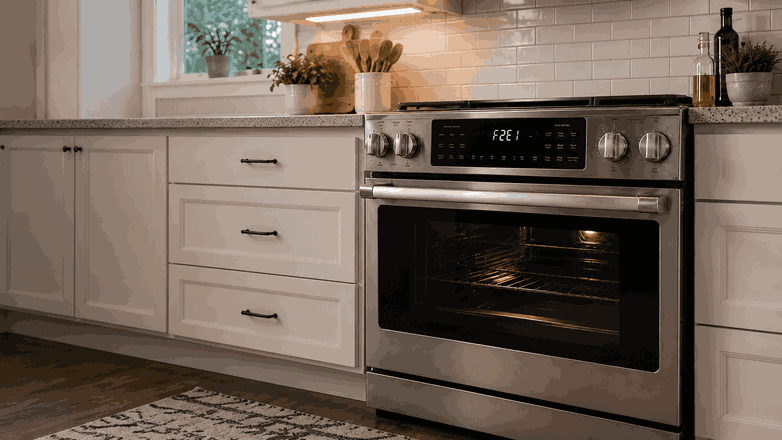
Start by Noticing Which Part Failed
A range has more than one operating system. The surface burners or elements are separate from the oven heating system, and the display controls may have their own power and communication path.
If the oven does not heat but the cooktop works, the issue may be in the oven igniter, bake element, temperature sensor, relay, or control board. If the cooktop does not respond but the oven works, the problem may be closer to the surface elements, switches, burner ignition, or control panel.
If nothing works at all, the issue may involve power supply, a tripped breaker, a failed control, or a wiring problem. For gas models, the range may also need both gas supply and electrical power to operate normally.
Signs Homeowners May Notice
No Heat From the Oven or Cooktop
One common sign is no heat from the oven or cooktop. The appliance may turn on, but it does not create usable cooking heat.
Blank, Flashing, or Warning Display
Another sign is a display that is blank, flashing, or showing a warning message. If the control panel is not working properly, the oven may not accept commands.
Clicking, Cold Elements, or Weak Heating
On gas models, you may hear clicking without flame. On electric models, a surface element may stay cold, heat weakly, or stop responding to changes in the setting.
Intermittent Operation
Some homeowners notice that the oven begins to preheat, then shuts down. Others see a burner work one day and fail the next. Intermittent operation often points to a control, wiring, ignition, or supply issue that needs closer diagnosis.
Common Causes Behind Range Failure
Power Supply Problem
One possible cause is a power supply problem. An electric KitchenAid range may need full power for heating, while a gas range still needs electricity for controls and ignition.
Control Board or Relay Failure
Another common cause is a control board or relay failure. If the control system cannot send the correct command, the oven or surface cooking section may not respond.
Electric Model Component Faults
For electric models, the issue may involve a surface element, bake element, switch, receptacle, sensor, or wiring connection. One failed part can affect a single burner or one oven function.
Gas Model Ignition or Gas Flow Issues
For gas models, the cause may be a burner igniter, oven igniter, gas valve, clogged burner port, or flame-sensing issue. If ignition is weak or gas flow is interrupted, the range may click, fail to light, or stop heating.
Safety-Related Issue
There may also be a safety-related issue, such as a thermal fuse, door switch, control lock, or sensor response that prevents normal operation.
Safe Checks Before Requesting Service
Check What Still Works
Start by checking what still works. Note whether the display turns on, whether the oven responds, and whether the cooktop burners or elements operate.
Check the Breaker Once
Check the breaker if the range is completely unresponsive. Reset it only once. If it trips again, stop using the appliance and request service.
Check Visible Gas Burner Conditions
If your range uses gas, make sure burner caps are seated correctly and the surface is dry after cleaning. If you smell gas, turn the controls off, ventilate the area, and do not continue trying to ignite the appliance.
Review the Control Settings
Review the control settings. Make sure the range is not in control lock, delay start, Sabbath mode, or another setting that changes normal operation.
Try One Basic Power Reset
You can try one basic power reset at the breaker. If the same failure returns, repeated resets are unlikely to fix the cause.
Avoid Unsafe Internal Work
Avoid opening panels, testing voltage, adjusting gas parts, or bypassing safety devices. Range problems can involve high voltage, gas ignition, and heat.
When Professional Range Service Makes Sense
Professional service makes sense when the KitchenAid range not working problem continues after checking basic settings, power, and visible burner conditions.
It is also the right step if the oven will not preheat, burners do not ignite, electric elements stay cold, the display is unresponsive, the breaker trips, or only some functions work. These symptoms may point to an igniter, heating element, switch, sensor, relay, wiring, power supply, or control-board problem.
For homeowners in San Diego, CA, professional range service can help separate a simple setting or supply issue from a true appliance failure. Proper diagnosis is important because a range combines heat, electricity, and, on gas models, ignition components.
Related Support Information
If the oven section is the main issue, a related KitchenAid range oven not heating article may help. If the appliance shows a warning, a KitchenAid range error codes page can provide extra context.
Conclusion
A KitchenAid range not working problem may involve power supply, gas ignition, surface elements, oven heating parts, sensors, relays, wiring, or the main control system. Safe checks can help identify basic clues, but a range that will not heat, ignite, respond, or stay powered usually needs professional range service in San Diego, CA.
Contact Information
Reset Appliance Repair – San Diego, CA
📍 Address: 11031 Via Brescia, San Diego, CA 92129
📧 Email: resetappliance@gmail.com
☎️ Phone: +1 619-743-9389
🕒 Open Hours: Monday – Sunday: 7:00 AM – 10:00 PM
