
 +1 619-743-9389
GE Range and Wall Oven Error Code Guide for San Diego Homeowners
When a GE range or wall oven shows an error code, the appliance is usually warning that one of its control, heating, sensing, fan, probe, door-lock, or power systems is not working correctly.
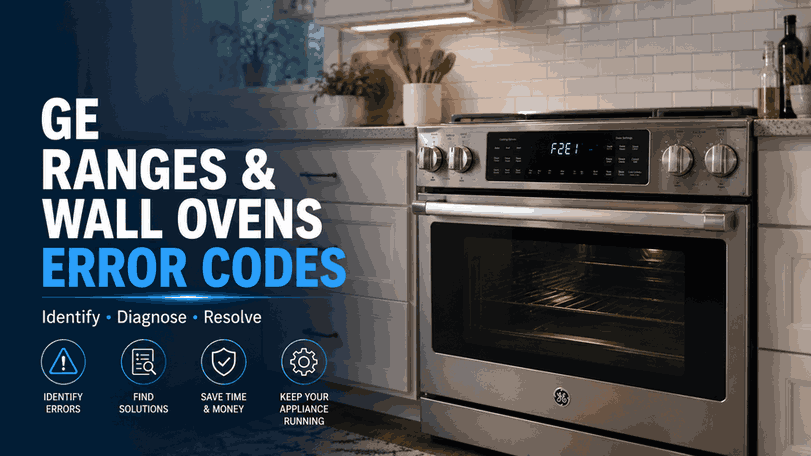
This guide explains the most common GE range and wall oven error codes for San Diego homeowners, including F0, F1, F2, F20, F3, F350, F4, F5, F6, F7, F8, F9, F96, F97, F7X, FC, FD, FF, and Bad Line. It is not a repair manual. It is a practical service guide that helps you understand what the code may point to and when the oven should be checked by a professional.
Reset Appliance Repair provides local GE range and wall oven repair in San Diego for control-panel faults, overheating warnings, sensor errors, cooling fan issues, probe problems, door-lock failures, and repeated oven fault codes.
What GE Range and Wall Oven Codes Usually Point To
A GE oven code does not always confirm one exact failed part. In many cases, it identifies the system that needs attention.
Some codes point to the key panel or touch control. Others relate to oven temperature sensing, electronic control failure, cooling fan operation, door-lock circuits, probe connection, or incorrect wiring. If the same code returns after the oven is reset, the issue is usually still active and should not be ignored.
How These Codes May Affect Oven Operation
Error codes on a GE range or wall oven can show up in different ways. The oven may beep unexpectedly, reject commands, stop heating, overheat, fail to start, lock the door, display a warning after self-clean, or become unreliable during baking or broiling.
These symptoms matter because they help narrow the service path. A key-panel code with unresponsive buttons is different from a high-temperature warning, a fan-related alert, or a door-lock fault. Repeated codes usually mean the appliance needs diagnosis, not repeated restart attempts.
Key Panel and Touch-Control Problems: F0 / F1 / F6 / F7
F0, F1, F6, and F7 usually point to a problem with the key panel, touch control, or control input area.
Homeowners may notice buttons that do not respond, random beeping, commands that fail, or an oven that seems to act on its own. These codes are important because the control panel is how the oven receives temperature settings, cooking modes, timer commands, and cancel functions.
If one of these codes returns, the problem may involve the key panel, touchpad connection, or related control communication. This is usually not something that can be solved by changing cooking settings.
Temperature and Oven Sensor Warnings: F2 / F20 / F3 / F4
F2 and F20 usually indicate that the oven temperature has exceeded a preset threshold. This can be a serious warning because the oven may be getting hotter than expected or the control may be reading temperature incorrectly.
F3 and F4 usually point to an oven sensor issue. The sensor helps the control read oven temperature and manage heating. When this signal is incorrect, the oven may overheat, underheat, shut down, or fail to hold the selected temperature.
If these codes appear during cooking, avoid continuing to use the oven until the problem is checked.
Cooling Fan and Internal Component Codes: F350 / F96 / F97 / F7X
F350 usually points to an issue with the upper cooling fan circuit or an obstruction affecting the cooling fan.
F96, F97, and F7X usually indicate an internal component fault. These codes can affect safe operation because wall ovens and ranges depend on internal cooling, control stability, and proper component communication during cooking.
If these alerts return, the appliance should be inspected before regular use continues. Fan and internal component issues can create overheating, shutdowns, or repeated control errors.
Electronic Control Faults: F5 / F8 / FF
F5, F8, and FF usually point toward an electronic control problem.
The electronic control manages oven functions, heating commands, cycle timing, and system communication. When this control is not working correctly, the oven may fail to start, stop during operation, display repeated fault codes, or become inconsistent during normal cooking.
Because these codes involve the main control system, they normally require professional diagnosis rather than simple user adjustment.
Door Lock and Self-Clean Related Codes: F9 / FC
F9 and FC usually point to a failure somewhere in the door-lock circuit.
These codes may appear when the oven cannot lock or unlock properly, especially around self-clean operation or high-temperature modes. The oven may refuse to start, remain locked, or stop a cycle for safety.
If the door stays locked or the code returns, avoid forcing the door open. A technician can check the lock circuit, switch signals, and control response.
Probe and Power Wiring Warnings: FD / Bad Line
FD usually means the oven probe or probe receptacle may need attention. This can affect temperature-probe cooking because the oven may not read the probe connection correctly.
Bad Line is different from most oven fault codes. It usually appears when power is applied but the unit has not been wired correctly. This is not a normal cooking-cycle issue. The oven should not be used until the wiring problem is corrected by a qualified installer or electrician.
What Homeowners Should Check Before Service
Before requesting service, note when the code appears. Does it show at startup, during preheat, while baking, after self-clean, when using the probe, or when the oven is cooling down?
Also check for visible symptoms: unresponsive controls, unusual beeping, overheating, no heat, door-lock trouble, fan noise, repeated shutdowns, or a code that returns immediately after reset.
Do not open panels, test wiring, force the door, or continue using the oven if the same fault keeps returning. A repeated code usually means the appliance needs proper diagnosis.
Local GE Range and Wall Oven Error Code Help in San Diego
Repeated GE range and wall oven error codes usually mean the appliance is no longer completing one of its normal control, heating, sensing, locking, or cooling functions correctly.
Reset Appliance Repair helps San Diego homeowners with GE range and wall oven error codes, including F0, F1, F2, F20, F3, F350, F4, F5, F6, F7, F8, F9, F96, F97, F7X, FC, FD, FF, and Bad Line. If your GE oven keeps showing the same code, stops heating correctly, locks unexpectedly, overheats, or refuses commands, local service can identify the cause and the next repair step.
Related GE Appliance Error Code Guides
Use these GE resources to compare range and wall oven warnings with the broader brand library and closely related cooking appliance systems.
GE Appliance Error Codes: Start with the main GE appliance error code guide for an overview of diagnostic messages across GE cooking, kitchen, laundry, and refrigeration appliances.
Advantium 240V: Review GE Advantium 240V error codes for related faults involving temperature and humidity sensors, touch controls, heating performance, internal overheating, and electronic components.
Microwave: Explore GE microwave error codes for additional cooking-appliance warnings connected with sensing circuits, control-panel operation, heating functions, power, and internal communication.
These connected guides help homeowners compare GE range and wall oven codes with diagnostic information for related Advantium and microwave cooking systems.
Contact Information
Reset Appliance Repair –San Diego, CA
📍 Address: 11031 Via Brescia, San Diego, CA 92129
📧 Email: resetappliance@gmail.com
☎️ Phone: +1 619-268-5820
🕒 Open Hours: Monday – Sunday: 7:00 AM – 10:00 PM.
GE Range and Wall Oven Codes for Keypad, Sensor, Lock, and Cooling Faults
The table explains GE range and wall oven codes involving keypanel failures, excessive oven temperature, temperature-sensor faults, cooling-fan obstructions, electronic control problems, door-lock circuit failures, and internal component errors. It also distinguishes repair-related F-codes from LOC, ERR, OFF, and Sabbath Mode display messages and provides the appropriate first response for each condition.
