

 +1 619-743-9389
GE Advantium 240V Error Code Guide for San Diego Homeowners
When a GE Advantium 240V oven shows an error code, the appliance is usually warning that one of its sensor, control, or temperature-monitoring systems is not reading correctly. These codes can affect speedcook, microwave, convection, sensor-cook, and heating functions.
This guide explains the most common GE Advantium 240V error codes for San Diego homeowners, including F1, F2, F3, F4, and F6. It is not a repair manual. It is a practical service guide that helps you understand what the code may point to and when the appliance should be checked by a professional.
Reset Appliance Repair provides local GE Advantium repair in San Diego for repeated fault codes, sensor problems, touch-panel issues, humidity-sensor warnings, and high-temperature alerts.
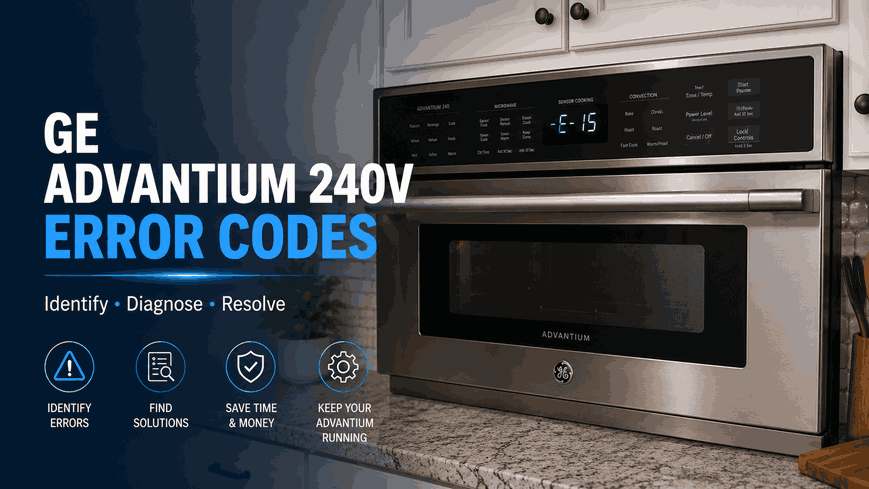
What GE Advantium 240V Codes Usually Point To
A GE Advantium 240V code does not always confirm one exact failed part. In most cases, it identifies the system that is not responding correctly.
On this appliance type, the main code groups are connected to thermal sensor readings, touch-pad input, humidity sensing, and cavity temperature protection. If the code appears once and the oven works normally afterward, it may have been a temporary interruption. If the same code returns, the appliance is usually warning that the issue is still active.
How These Errors May Affect Cooking Performance
A GE Advantium 240V fault code may appear when the unit starts, during cooking, while using sensor-based functions, or after the cavity becomes too hot. The appliance may stop mid-cycle, reject commands, beep unexpectedly, fail to complete a selected cooking mode, or display the same code after reset.
These symptoms matter because a touch-panel issue is different from a sensor reading problem. A high-cavity-temperature warning is also more urgent than a simple control input failure because it may involve heat management inside the appliance.
Thermal Sensor Reading Problems: F1 / F2
F1 and F2 are connected to the thermal sensor system.
F1: Open Thermal Sensor
An F1 code usually means the thermal sensor is open. An F2 code usually means the thermal sensor is shorted. The Advantium depends on thermal feedback to monitor operating conditions and help manage safe cooking performance. (GE Appliances)
If one of these codes returns, the appliance may not be reading internal temperature conditions correctly. Homeowners may notice interrupted cycles, inconsistent performance, or a code that appears again after the oven is restarted.
Touch Pad Control Issue: F3
The F3 code usually points to a shorted touch pad panel. This affects the control area where the appliance receives cooking time, mode, temperature, start, and cancel commands.
In daily use, this may show up as buttons that do not respond, commands that register incorrectly, random beeping, or a display that will not follow normal input. If F3 keeps returning, the issue is usually control-related and should be diagnosed before the appliance becomes unreliable during cooking.
Humidity Sensor Warning: F4
The F4 code usually means the humidity sensor is open or shorted. This can affect sensor-based cooking because the appliance may not be able to read moisture or steam conditions correctly during operation.
When this happens, automatic cooking modes may stop early, run longer than expected, or fail to respond normally. If F4 appears repeatedly, the issue is not just a food-setting problem. It usually points to a sensor circuit or control-reading concern.
High Cavity Temperature Alert: F6
The F6 code means high cavity temperature has been detected. This code should be treated carefully because it relates to heat conditions inside the appliance.
If F6 appears, stop using the Advantium until the situation is understood. If there is a burning smell, smoke, unusual heat, or repeated shutdown, do not continue cooking cycles. High-temperature warnings can involve airflow, sensor feedback, control response, or another condition that needs proper diagnosis.
What Homeowners Should Check Before Service
Before requesting service, note when the code appears. Does it show at startup, during speedcook, during microwave use, during convection cooking, while using sensor cooking, or after the appliance has been running for several minutes?
Also check the visible symptoms: unresponsive controls, repeated beeping, early shutdown, failed sensor cooking, unusual heat, or the same code returning immediately.
Do not open the cabinet, remove panels, test wiring, or inspect internal microwave components. Advantium units contain high-voltage components and heating systems that should be handled only by a trained professional.
Local GE Advantium 240V Error Code Help in San Diego
Repeated GE Advantium 240V error codes usually mean the appliance is no longer completing one of its normal sensing, control, or heat-management functions correctly.
Reset Appliance Repair helps San Diego homeowners with GE Advantium 240V error codes, including F1, F2, F3, F4, and F6. If your Advantium keeps showing the same code, stops during cooking, rejects touch commands, or displays a high-temperature warning, local service can identify the cause and the next repair step.
Related GE Appliance Error Code Guides
Use these GE resources to connect Advantium 240V fault messages with the broader brand library and closely related cooking appliance guides.
GE Appliance Error Codes: Start with the main GE appliance error code guide for an overview of diagnostic messages across GE cooking, cleaning, laundry, and refrigeration appliances.
Microwave: Review GE microwave error codes for related faults involving temperature and humidity sensors, touch controls, heating operation, electronic components, and internal communication.
Range and Wall Oven: Explore GE range and wall oven error codes when a warning involves oven temperature sensing, heating circuits, cooling fans, door locking, power, or electronic controls.
These connected guides help homeowners compare GE Advantium 240V codes with diagnostic information for closely related microwave, range, and wall oven systems.
Contact Information
Reset Appliance Repair –San Diego, CA
📍 Address: 11031 Via Brescia, San Diego, CA 92129
📧 Email: resetappliance@gmail.com
☎️ Phone: +1 619-268-5820
🕒 Open Hours: Monday – Sunday: 7:00 AM – 10:00 PM.
GE Advantium 240V Codes for Sensor, Touchpad, and Overheating Faults
The table defines GE Advantium 240V fault codes for an open or shorted thermal sensor, a shorted touchpad, humidity-sensor failure, and excessive oven-cavity temperature. Match F1, F2, F3, F4, or F6 with the detected condition and follow the listed control-reset steps to see whether the alert clears or requires professional diagnosis.
| Error Code | Meaning | Safe first steps | Technician required | Related help |
|---|---|---|---|---|
| F1 | Open thermal sensor. | Press CLEAR/OFF or CANCEL, program control again, then disconnect power for 30 seconds and retry. | Yes — if the code appears again; GE recommends unplugging until serviced. | |
| F2 | Shorted thermal sensor. | Press CLEAR/OFF or CANCEL, program control again, then disconnect power for 30 seconds and retry. | Yes — if the code appears again; GE recommends unplugging until serviced. | |
| F3 | Shorted touch pad panel. | Press CLEAR/OFF or CANCEL, program control again, then disconnect power for 30 seconds and retry. | Yes — if the code appears again; GE recommends unplugging until serviced. | |
| F4 | Open or shorted humidity sensor. | Press CLEAR/OFF or CANCEL, program control again, then disconnect power for 30 seconds and retry. | Yes — if the code appears again; GE recommends unplugging until serviced. | |
| F6 | High cavity temperature detected. | Press CLEAR/OFF or CANCEL, program control again, then disconnect power for 30 seconds and retry. | Yes — if the code appears again; GE recommends unplugging until serviced. |
